



FAQ
How do I change personal information in CHOIS?
Log in to CHOIS.

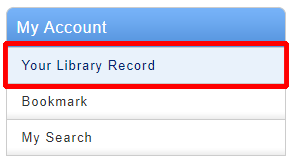
Click " Your Library Record"
Click " Personal info"

Click " Change Personal info"
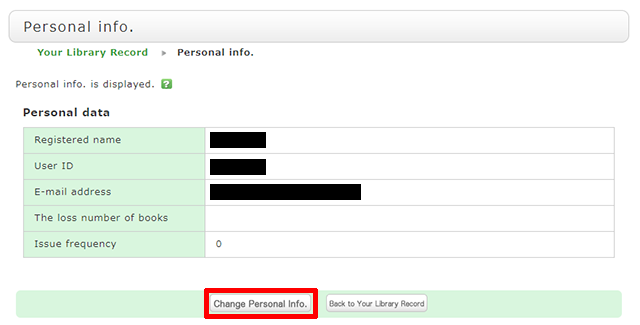
Click [Change Personal Info.] on the next screen, and make your changes. (You will be able to select the updated information, such as an e-mail address, even for a reservation, ILL copy request, and ILL borrowing request.)