

FAQ(English)
What is My Folder?
The following functions in the MyAccount are collectively called My Folder.
That allows you to create the list of books and journals which collect from search results of CHOIS.
You can register the bibliography of books you have already read or wish to read.
You can directly export the list to "RefWorks" or "EndNoteWeb".
2.My Search
By selecting from my search, you can search with the same criteria again.
I want to keep a bibliographic record of CHOIS to be checked at a later date. Is it possible?
Search or Browsing History automatically save until the browser is closed (or the operation is stopped for a long time).
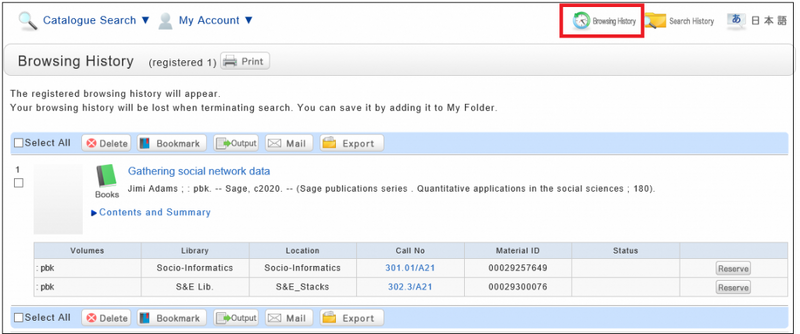
You can use them by clicking the [Browsing History] button.
* This screen displays after "Browsing History" is clicked.
If you want to check materials at a later date, save them in a bookmark.
You can register them at the search result list or the bibliography details screen.
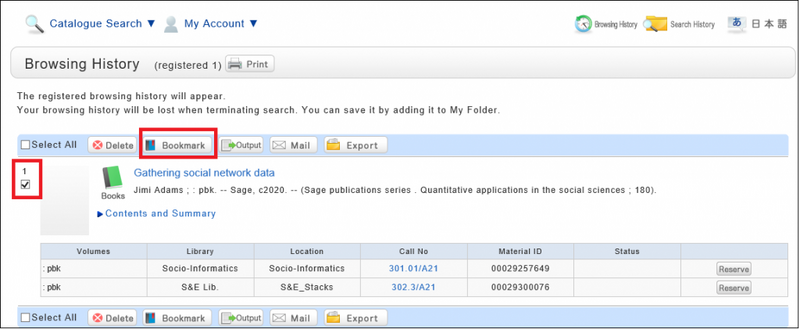
If you register them at Search Result list Screen, Select the check box of the materials you want to bookmark and click [Bookmark] button.
You can confirm the list you saved at the ”Bookmark” in My folder tab.
I want to save search conditions to use in a search at a later date. Can this be done?
You can check the search history by clicking the [Search History] button at the top of the screen.
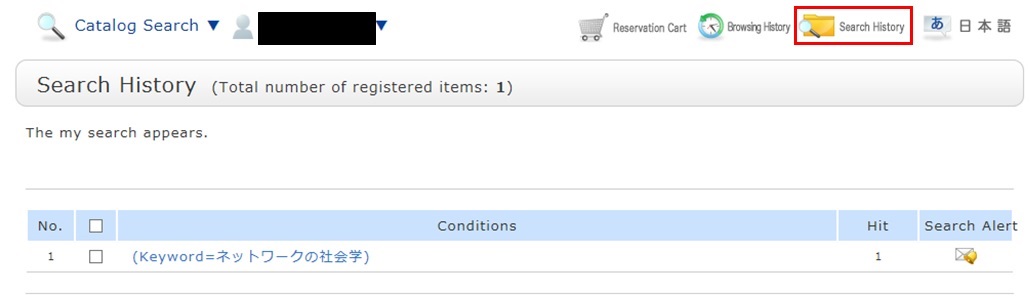
* The screenshot is the screen displayed when "Search History" is clicked.
To save search conditions until a later date by registering them from the search history browsing screen, enter a check mark in the check box of each search condition, and click the [Add to Favorites] button.
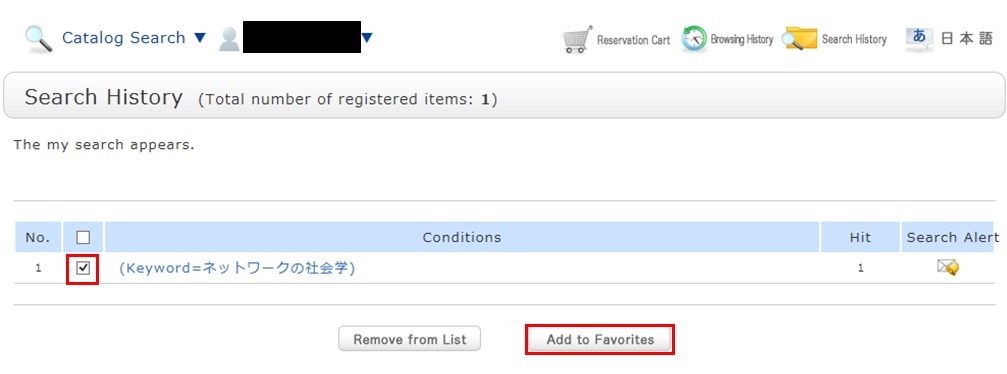
You can check the registered contents from My Search in OPAC.
What do I do when I want to extend the borrowing period of a loaned out book?
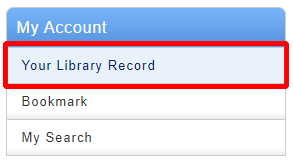
1. Click "Your Library Record" and log in to CHOIS.
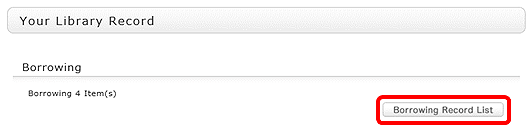
2. "User Inquiry" appears after login. Click "Borrowing Record list" .
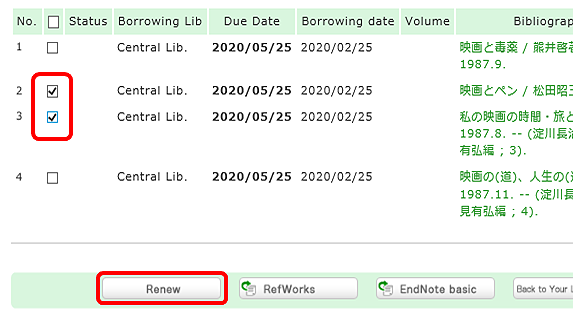
3. "Borrowing list" appears. Place a check mark beside each material you want to renew, and click [Renew]. In "Borrowing list," you can check the borrowing status: where (borrowing library), what (bibliography information), and when (Due Date).
In "Borrowing list," you can check the borrowing status: where (borrowing library), what (bibliography information), and when (Due Date).
4. Click [OK] in the pop-up.
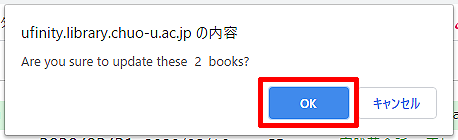
5. The update is completed when the return date is extended. If the update cannot be completed, the screen displays this fact and the reason for it.
How do I cancel a reservation?
1. Click " Your Library Record" and log in to CHOIS.
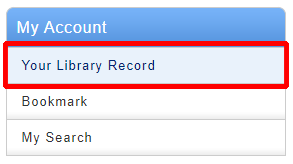
2. Click "Reservation" from User Inquiry on the OPAC top page.

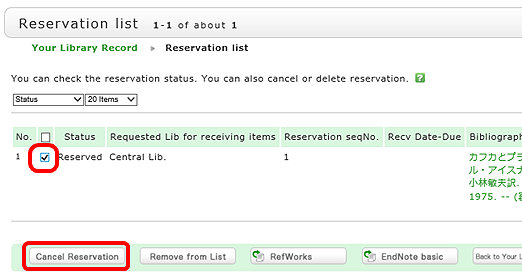
3. The reservation list screen appears. Place a check mark beside the material whose reservation you want to cancel, and click [Cancel Reservation].
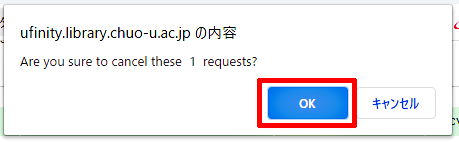
4. Click [OK] in the pop-up.
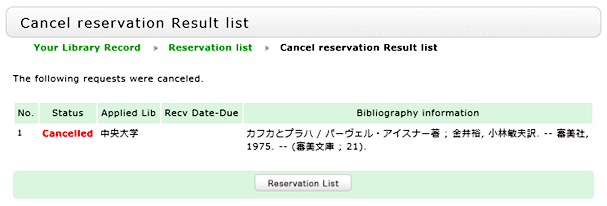
5. "Canceled" appears under Status upon the completion of the reservation cancellation.
| Sun | Mon | Tue | Wed | Thu | Fri | Sat |
27 | 28 | 29 | 30 | 1 | 2 | 3 |
4 | 5 | 6 | 7 | 8 | 9 | 10 |
11 | 12 | 13 | 14 | 15 | 16 | 17 |
18 | 19 | 20 | 21 | 22 | 23 | 24 |
25 | 26 | 27 | 28 | 29 | 30 | 31 |