


FAQ
FAQ(English)
I want to keep a bibliographic record of CHOIS to be checked at a later date. Is it possible?
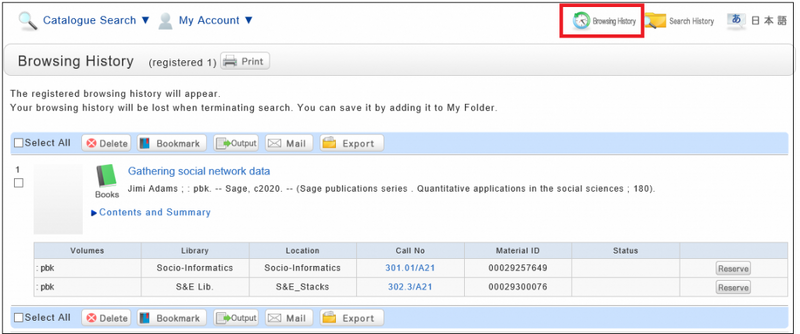
Search or Browsing History automatically save until the browser is closed (or the operation is stopped for a long time).
You can use them by clicking the [Browsing History] button.
* This screen displays after "Browsing History" is clicked.
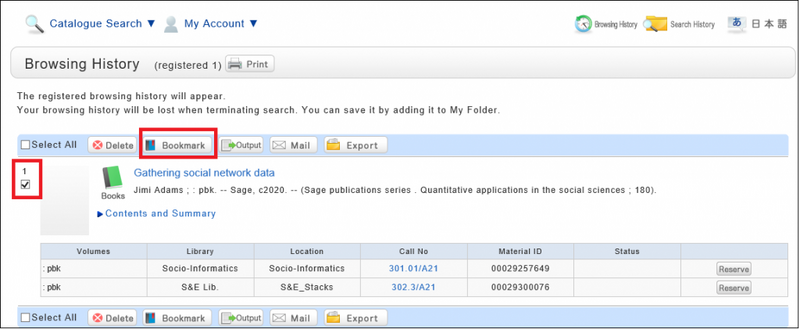
If you want to check materials at a later date, save them in a bookmark.
You can register them at the search result list or the bibliography details screen.
If you register them at Search Result list Screen, Select the check box of the materials you want to bookmark and click [Bookmark] button.
You can confirm the list you saved at the ”Bookmark” in My folder tab.
I want to save search conditions to use in a search at a later date. Can this be done?
You can check the search history by clicking the [Search History] button at the top of the screen.
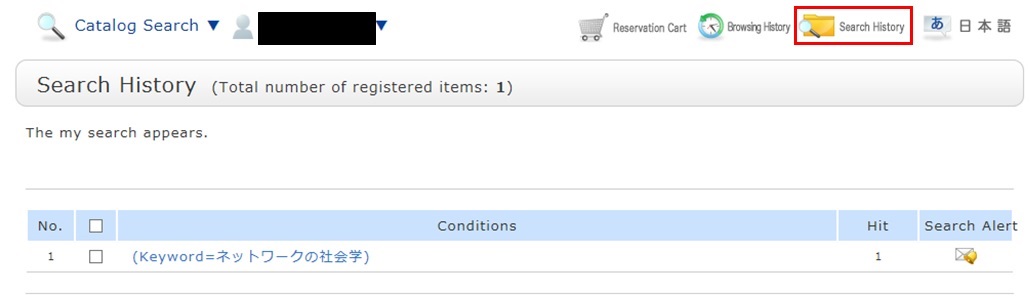
* The screenshot is the screen displayed when "Search History" is clicked.
To save search conditions until a later date by registering them from the search history browsing screen, enter a check mark in the check box of each search condition, and click the [Add to Favorites] button.
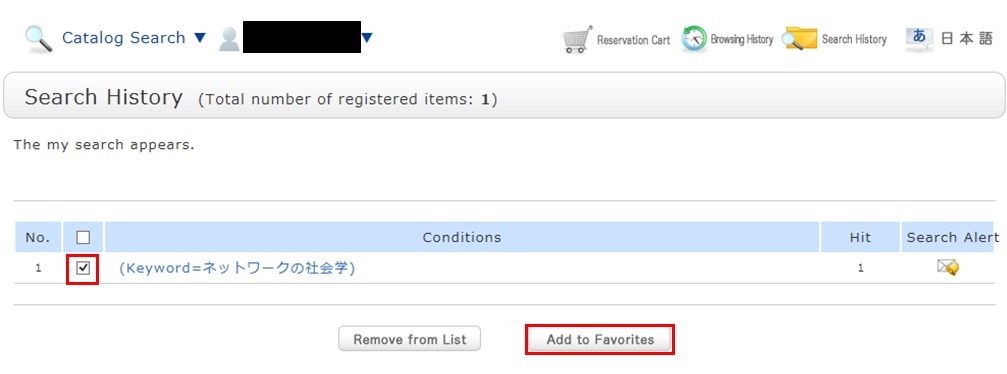
You can check the registered contents from My Search in OPAC.
Library Calendars
| 日 | 月 | 火 | 水 | 木 | 金 | 土 |
27 | 28 | 29 | 30 | 1 | 2 | 3 |
4 | 5 | 6 | 7 | 8 | 9 | 10 |
11 | 12 | 13 | 14 | 15 | 16 | 17 |
18 | 19 | 20 | 21 | 22 | 23 | 24 |
25 | 26 | 27 | 28 | 29 | 30 | 31 |