

FAQ
FAQ(English)
How do I cancel a reservation?
1. Click " Your Library Record" and log in to CHOIS.
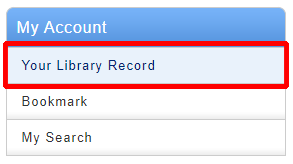
2. Click "Reservation" from User Inquiry on the OPAC top page.

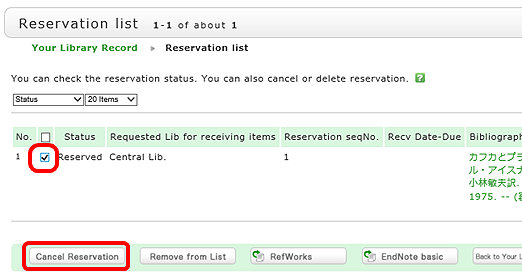
3. The reservation list screen appears. Place a check mark beside the material whose reservation you want to cancel, and click [Cancel Reservation].
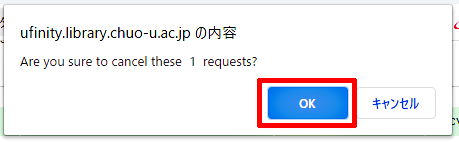
4. Click [OK] in the pop-up.
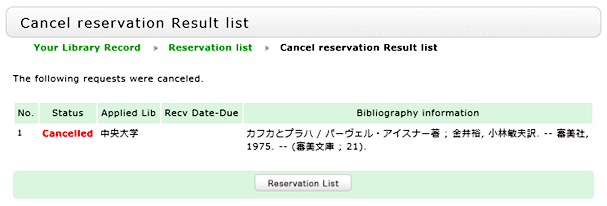
5. "Canceled" appears under Status upon the completion of the reservation cancellation.
Library Calendars
| 日 | 月 | 火 | 水 | 木 | 金 | 土 |
27 | 28 | 29 | 30 | 1 | 2 | 3 |
4 | 5 | 6 | 7 | 8 | 9 | 10 |
11 | 12 | 13 | 14 | 15 | 16 | 17 |
18 | 19 | 20 | 21 | 22 | 23 | 24 |
25 | 26 | 27 | 28 | 29 | 30 | 31 |